Start with your source material
Bring in documents and guidance instead of starting from an empty page.
Use AI to bring your policies, procedures, and expertise into personalized learning experiences that can grow with your organization.

A creator builds training from an internal procedure.
“I found several key topics in your material. Which ones should become practice activities?”
“Start with the steps people most often forget, then add a scenario where they apply them.”
Policies, guides, and subject matter expertise often live in separate places. AgentLMS helps creators bring that material into one workflow, generate learning topics and interactive activities, and adapt the experience for the team that will use it.
Bring in documents and guidance instead of starting from an empty page.
Review the topics and activities, then edit what needs a human touch.
Give learners interactions and feedback related to what they are learning.
AgentLMS helps you build training from your own material, give people an interactive place to practice, and see their progress over time.
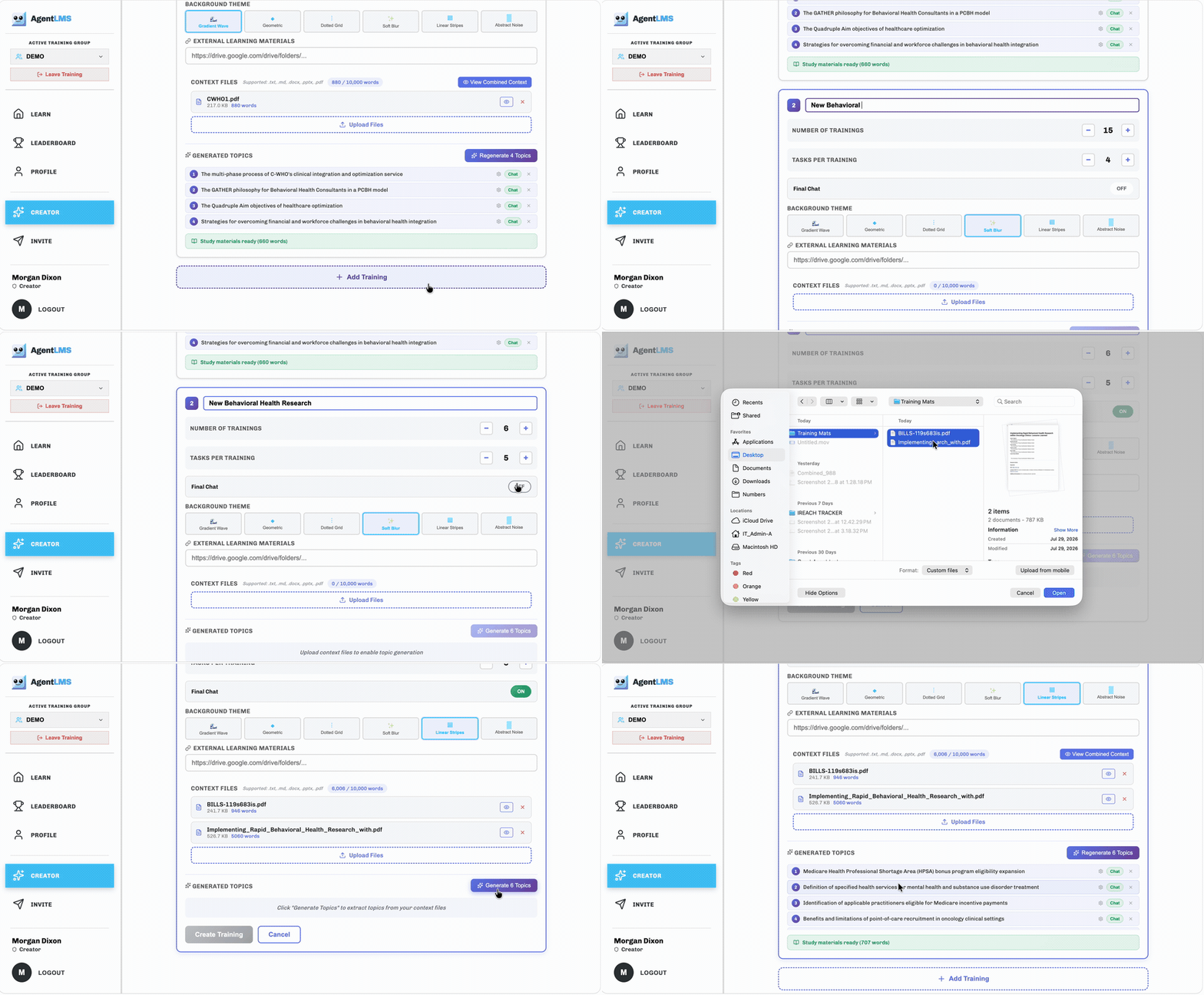
Upload policies, guides, or other source material. The creator helps turn them into topics and activities that you can review and shape for your team.
Practice a responseMove beyond reading with interactive activities and AI conversations. Learners can apply an idea, get feedback, and try a different approach.
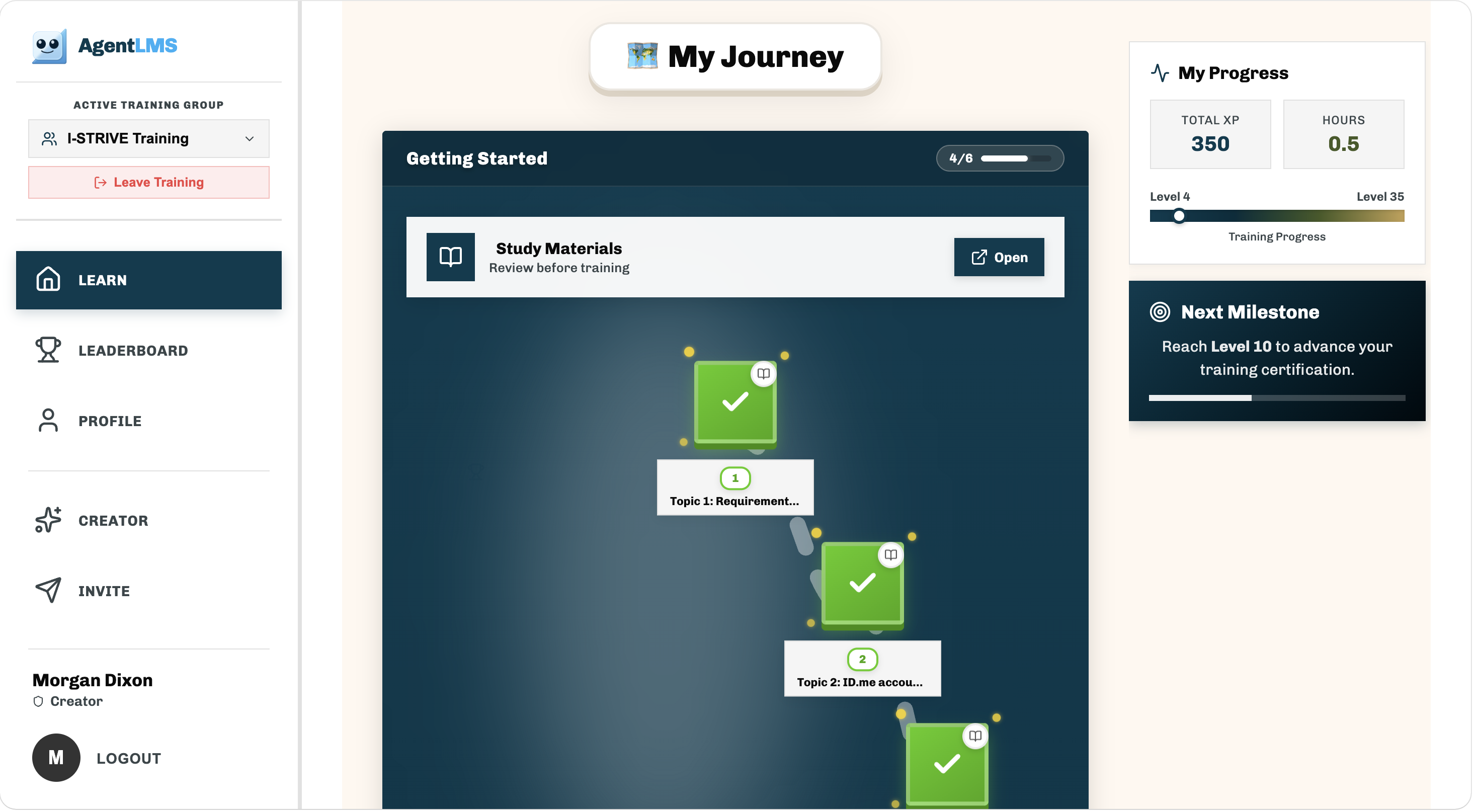
A visual journey shows what learners have completed and what comes next. Progress and feedback help teams keep development moving.
The creator helps you shape both the training and the way you invite people into it. See how the platform brings your content, branding, and learning path together.
Use AI to reduce the work of getting from source material to useful practice.
Convert policies into focused topics and activities learners can work through.
Build practice around updated workflows and important new steps.
Pair your guidance with scenarios where learners apply it in their own words.
Tell us what you want your people to learn. We’ll show you how AgentLMS could turn your material into practice and a clear learning journey.
Meet the agent that makes training a conversation.Share a few details, then choose a time on our calendar.
Tell us a bit about yourself and your organization.
We can walk through your team’s specific needs during the demo.
Creators should review and edit AI-generated material before sharing it. The tool helps produce drafts and interactive training; your team decides what is ready.
The creator supports common documents and text-based source material. The demo can walk through the formats that fit your team’s content.
Learners can work through interactive activities, practice with an AI conversation partner, and receive feedback related to their responses.